Using it on a phone
When you finish: You can look up a repair, take one in and take photos from your phone.
About 2 minutesLast checked against the app:
Open RepairDesk on your phone
- Step 1: Shopify shop: open the Shopify app, tap Apps, then RepairDesk.
- Step 2: Staff with a RepairDesk login: open repairdeskapp.net in your phone browser and sign in. To keep it on your home screen, use your browser menu and choose Add to Home Screen.
Take photos at the counter
- Step 1: On the home page, press New repair.
- Step 2: Find Photos (optional) and press Take photo. Your phone camera opens.
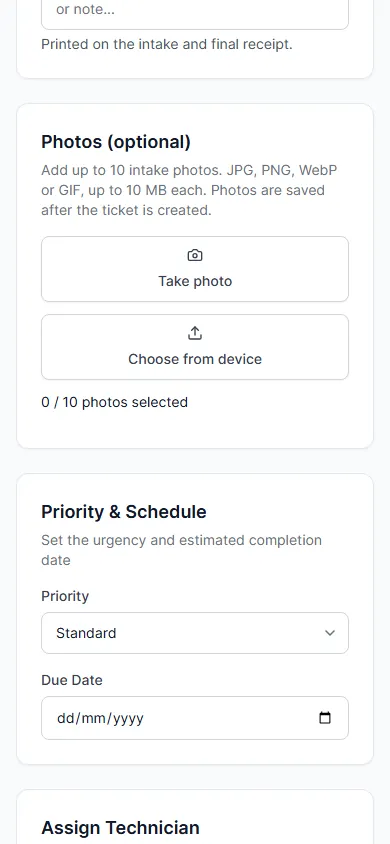
- Step 3: Take the picture of the item. Add up to 10 photos. Then save the repair as usual.
Calendar and Parts are laid out for a phone. The week shows one day under another, and each part is its own card. In Settings, Save stays at the bottom of the screen.
Stuck?
Press Ask us at the bottom right of any RepairDesk page and tell us which step. We write back with the exact next step.
Or email support@repairdeskapp.net