Tell the customer
When you finish: Your customer gets an email with a link to follow their repair, and you saw it before it went.
About 2 minutesLast checked against the app:
- Step 1: Open the repair. In the row of stages near the top, press Ready for Pickup.
- Step 2: The box shows the whole email your customer will get, exactly as it will arrive, with the link to follow their repair. Press Update Status. Not ready to tell them yet? Tick Update without telling the customer.
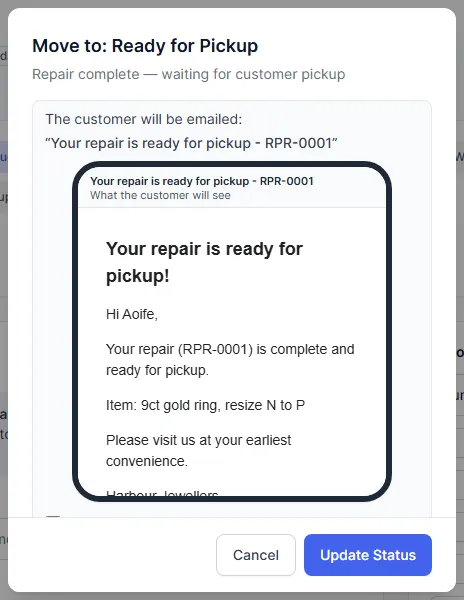
- Step 3: Want to text them as well? Press Copy Customer Link and paste it into a text message. The link opens a page on their phone showing their repair.
If the box says "There is no email on this repair, so nothing will be sent"
- Step 1: Press Copy Customer Link. It is right there in the box.
- Step 2: Paste the link into a text from the shop phone and send it yourself.
Stuck?
Press Ask us at the bottom right of any RepairDesk page and tell us which step. We write back with the exact next step.
Or email support@repairdeskapp.net